
The creator economy is booming, and AI tools for content creators are at the center of it all. Whether you're a YouTuber, blogger, podcaster, or social media manager, the right AI tools can slash your production time by 60-70% while dramatically improving output quality.
But with hundreds of AI tools flooding the market, which ones actually deliver results? We've tested dozens of platforms and narrowed it down to the 10 best AI tools for content creators in 2026 — covering everything from writing and design to video editing and SEO optimization.
Let's dive in.
Table of Contents
- ChatGPT — Best All-Around AI Assistant
- Claude — Best for Long-Form Writing
- Jasper — Best for Marketing Copy
- Canva AI — Best for Visual Content
- Descript — Best for Video & Podcast Editing
- Midjourney — Best for AI Image Generation
- Opus Clip — Best for Short-Form Video
- ElevenLabs — Best for AI Voiceover
- Surfer SEO — Best for Content Optimization
- Copy.ai — Best for Workflow Automation
- How to Choose the Right AI Tool Stack
- Frequently Asked Questions
1. ChatGPT — Best All-Around AI Assistant
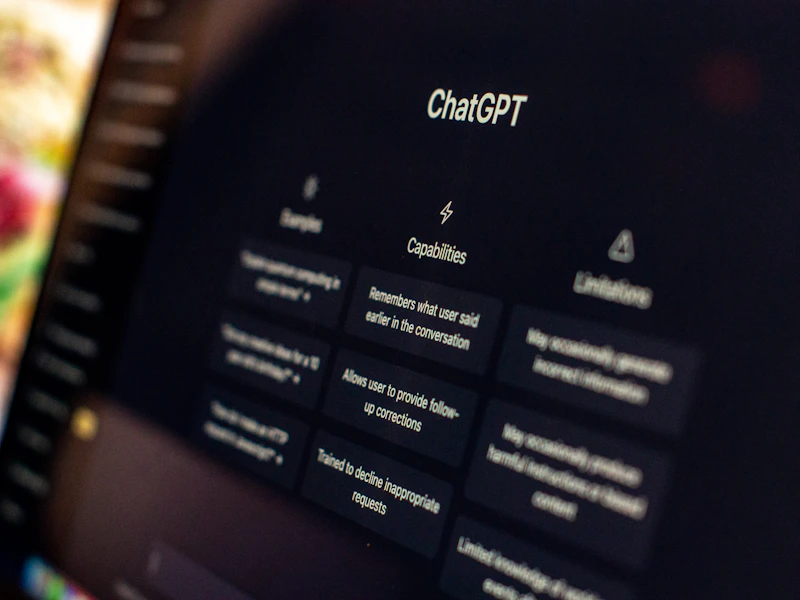
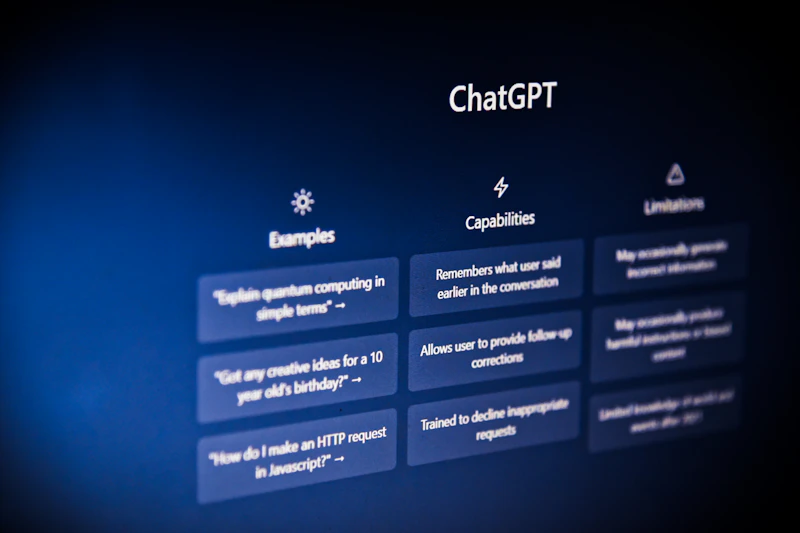
ChatGPT by OpenAI remains the most versatile AI tool for creators in 2026. With GPT-4o powering its latest iteration, it handles everything from brainstorming video scripts to writing blog posts, generating social captions, and even analyzing your audience data.
Key Features for Creators
- Multimodal input: Upload images, PDFs, spreadsheets, and get instant analysis
- Custom GPTs: Build specialized assistants for recurring content tasks
- Canvas mode: Collaborative document editing with AI suggestions
- Advanced voice mode: Real-time conversation for brainstorming sessions
- Image generation: Built-in DALL-E integration for quick visual assets
Pricing
- Free tier: Limited GPT-4o access, basic features
- Plus: $20/month — full GPT-4o, Custom GPTs, advanced tools
- Pro: $200/month — unlimited access, priority during peak times
- Team: $25/user/month — workspace collaboration, admin controls
Pros & Cons
Pros: Massive plugin ecosystem, excellent at following complex instructions, strong code generation, frequent updates.
Cons: Can produce generic content without detailed prompting, occasional hallucinations, free tier increasingly limited.
Best for: Creators who need an all-purpose AI assistant for writing, research, brainstorming, and data analysis.
2. Claude — Best for Long-Form Writing
Claude by Anthropic has emerged as the go-to AI for creators who prioritize writing quality. With a massive 200K token context window, Claude excels at handling book-length documents, maintaining consistent voice across long projects, and producing prose that reads more naturally than most competitors.
Key Features for Creators
- 200K context window: Process entire books, research papers, or content libraries at once
- Artifacts: Generate standalone documents, code, and visual content in a side panel
- Projects: Upload reference materials and maintain persistent context
- Superior writing tone: Produces content that requires less editing for natural readability
- Strong reasoning: Excellent at nuanced content strategy and editorial planning
Pricing
- Free tier: Limited daily messages with Claude 3.5 Sonnet
- Pro: $20/month — priority access, extended usage, Projects feature
- Team: $25/user/month — collaboration tools, higher limits
Pros & Cons
Pros: Best-in-class long-form writing, huge context window, fewer hallucinations, nuanced understanding of tone and style.
Cons: Smaller plugin ecosystem than ChatGPT, no native image generation, can be overly cautious with certain topics.
Best for: Bloggers, newsletter writers, and creators producing long-form content like ebooks, courses, or in-depth articles. Read our full ChatGPT vs Claude comparison for creators to decide which fits your workflow.
3. Jasper — Best for Marketing Copy
Jasper is purpose-built for marketing teams and content creators who need to produce high-converting copy at scale. Unlike general-purpose AI assistants, Jasper is optimized for brand voice consistency and marketing-specific formats.
Key Features for Creators
- Brand Voice: Train AI on your existing content to maintain consistent tone
- Campaign workflows: Generate complete multi-channel campaigns from a single brief
- 50+ templates: Pre-built frameworks for ads, emails, landing pages, social posts
- SEO mode: Integrated with Surfer SEO for optimized blog content
- Art generation: Built-in image creation for marketing visuals
Pricing
- Creator: $49/month — 1 Brand Voice, SEO mode, standard templates
- Pro: $99/month — 3 Brand Voices, collaboration, advanced analytics
- Business: Custom pricing — unlimited Brand Voices, API access, dedicated support
Pros & Cons
Pros: Excellent brand consistency, marketing-optimized output, great for teams, strong template library.
Cons: Significantly more expensive than ChatGPT/Claude, less flexible for non-marketing tasks, learning curve for Brand Voice setup.
Best for: Creators running a brand or agency who need consistent, conversion-focused marketing copy across channels.
4. Canva AI — Best for Visual Content
Canva AI (Magic Studio) has transformed from a simple design tool into a full AI-powered creative suite. For creators who aren't professional designers, Canva AI eliminates the need for separate tools for graphics, presentations, video, and print materials.
Key Features for Creators
- Magic Design: Describe what you need and get instant professional layouts
- Magic Edit: AI-powered photo editing — remove backgrounds, replace objects, extend images
- Magic Video: Auto-generate short videos from scripts or text prompts
- Brand Kit: Store logos, colors, and fonts for one-click branded content
- Bulk Create: Generate hundreds of design variations from a spreadsheet
Pricing
- Free: Basic design features, limited AI credits
- Pro: $13/month — full Magic Studio, 500 AI credits/month, premium templates
- Teams: $10/user/month (min 3) — collaboration, Brand Kit, unlimited folders
Pros & Cons
Pros: Incredibly intuitive, massive template library, all-in-one visual tool, excellent free tier, constant feature updates.
Cons: AI image generation quality below Midjourney, limited advanced editing compared to Adobe, can feel restrictive for experienced designers.
Best for: Solo creators and small teams who need professional visuals fast without learning complex design software.
5. Descript — Best for Video & Podcast Editing
Descript revolutionized audio/video editing by treating media like a text document. Edit your video by editing the transcript — delete a word from the text, and it's removed from the video. For creators producing podcasts, YouTube videos, or course content, Descript is a game-changer.
Key Features for Creators
- Text-based editing: Edit video/audio by editing the transcript
- AI voice cloning: Generate your voice clone for corrections and pickups
- Eye Contact AI: Automatically adjusts eye contact to look at camera
- Filler word removal: One-click removal of "um," "uh," "like," and silences
- Studio Sound: AI-powered audio enhancement for professional quality
- Screen recording: Built-in recording with automatic transcription
Pricing
- Free: 1 watermark-free video/month, basic transcription
- Hobbyist: $24/month — 10 hrs transcription, all AI features
- Business: $33/month — 30 hrs transcription, team features, priority support
Pros & Cons
Pros: Revolutionary text-based editing, incredibly fast workflow, excellent transcription accuracy, all-in-one audio/video tool.
Cons: Less powerful than Premiere Pro for complex edits, occasional transcription errors with accents, video quality limited to 4K.
Best for: Podcasters, YouTubers, and course creators who want to edit faster without learning traditional video editing. If you're building a faceless YouTube channel with AI, Descript pairs perfectly with AI voiceover tools.
6. Midjourney — Best for AI Image Generation
Midjourney remains the gold standard for AI-generated images in 2026. While competitors have closed the gap, Midjourney's aesthetic quality, style consistency, and artistic range keep it at the top for creators who need visually stunning content.
Key Features for Creators
- V6.5 model: Photorealistic quality with exceptional lighting and composition
- Style Reference: Upload an image to replicate its style across generations
- Web editor: Full-featured platform (no longer Discord-only)
- Personalization: AI learns your aesthetic preferences over time
- Inpainting/outpainting: Edit specific regions or extend images seamlessly
Pricing
- Basic: $10/month — ~200 generations/month
- Standard: $30/month — 15 hrs fast generation, unlimited relaxed
- Pro: $60/month — 30 hrs fast generation, stealth mode
Pros & Cons
Pros: Best image quality in the market, excellent for brand visuals, great style consistency, active community.
Cons: No free tier, steeper learning curve for prompting, limited text rendering in images, commercial license requires paid plan.
Best for: Creators who need high-quality images for social media, thumbnails, blog graphics, and brand visuals.
7. Opus Clip — Best for Short-Form Video
Opus Clip uses AI to automatically transform long-form videos into viral short clips. For creators repurposing YouTube, podcast, or webinar content into TikToks, Reels, and Shorts, it's an essential time-saver.
Key Features for Creators
- AI Virality Score: Ranks clips by predicted engagement potential
- Auto-reframing: Intelligent cropping for vertical formats
- Dynamic captions: Auto-generated captions with customizable styles
- B-roll integration: AI suggests and adds relevant stock footage
- Batch processing: Process multiple long videos simultaneously
Pricing
- Free: 60 minutes of processing/month, basic features
- Starter: $19/month — 200 minutes/month, all AI features
- Pro: $49/month — 600 minutes/month, priority processing, API access
Pros & Cons
Pros: Massive time-saver, surprisingly accurate clip selection, great caption styles, easy workflow.
Cons: Best results still need manual refinement, limited editing beyond clip selection, premium features add up.
Best for: YouTubers and podcasters who want to maximize reach by repurposing content into short-form video. This is a key tool in any content automation workflow.

8. ElevenLabs — Best for AI Voiceover
ElevenLabs produces the most realistic AI voices available in 2026. For creators producing voiceovers, audiobooks, podcasts, or narrated videos, it's become virtually indistinguishable from human speech.
Key Features for Creators
- Voice cloning: Create a digital copy of your voice from just 30 seconds of audio
- 29+ languages: Generate native-sounding content in multiple languages
- Voice Design: Create entirely new synthetic voices with customizable traits
- Projects: Long-form audio with chapter markers and SSML control
- Sound effects: AI-generated sound effects and music
Pricing
- Free: 10,000 characters/month (~10 min of audio)
- Starter: $5/month — 30,000 characters, 3 custom voices
- Creator: $22/month — 100,000 characters, 10 custom voices, commercial license
- Pro: $99/month — 500,000 characters, 30 custom voices, priority support
Pros & Cons
Pros: Most natural-sounding AI voices, excellent voice cloning, great multilingual support, competitive pricing.
Cons: Character limits can be restrictive, voice cloning quality depends on source audio, ethical concerns around voice cloning.
Best for: Creators building faceless YouTube channels, narrated content, or multilingual audio content.
9. Surfer SEO — Best for Content Optimization
Surfer SEO bridges the gap between AI writing and search engine optimization. It analyzes top-ranking pages and provides real-time guidelines to help your content compete in Google's increasingly AI-influenced search results.
Key Features for Creators
- Content Editor: Real-time SEO score as you write with keyword suggestions
- AI Writer (Surfer AI): Generate full SEO-optimized articles in minutes
- SERP Analyzer: Deep analysis of what's ranking and why
- Topical Map: Plan complete content clusters for topical authority
- Internal linking suggestions: AI-powered recommendations for site structure
Pricing
- Essential: $89/month — 30 articles/month, Content Editor, SERP Analyzer
- Scale: $129/month — 100 articles/month, auto-internal links, content audit
- Enterprise: Custom pricing — API, custom AI models, white-label reports
Pros & Cons
Pros: Excellent content scoring, strong topical authority tools, good integration with writing tools, reliable SERP data.
Cons: Expensive for solo creators, AI writer quality is decent but not exceptional, learning curve for advanced features.
Best for: Bloggers and content marketers serious about SEO strategy in 2026 who want data-driven content optimization.
10. Copy.ai — Best for Workflow Automation
Copy.ai has evolved beyond simple copywriting into a powerful AI workflow automation platform. Its Workflows feature lets creators build automated content pipelines that handle everything from research to publishing.
Key Features for Creators
- Workflows: Build multi-step AI automations without code
- Infobase: Upload brand guidelines, product info, and style guides as AI context
- 95+ copywriting templates: Specialized templates for every content format
- API access: Connect to your existing tools and platforms
- Batch processing: Generate content in bulk from spreadsheet inputs
Pricing
- Free: 2,000 words/month, basic chat
- Starter: $49/month — unlimited words, 5 Workflows, Brand Voices
- Advanced: $249/month — 15 Workflows, Infobase, API access, priority support
Pros & Cons
Pros: Powerful workflow automation, excellent for batch content, good brand voice features, evolving rapidly.
Cons: Expensive for solo use, workflow builder has a learning curve, base writing quality slightly below ChatGPT/Claude.
Best for: Creators and agencies who want to automate their content creation workflows and produce content at scale.
How to Choose the Right AI Tool Stack
You don't need all 10 tools. Here's how to build your stack based on your creator type:
The Blogger / Writer Stack
- Primary AI: Claude (long-form writing) or ChatGPT (versatility)
- SEO: Surfer SEO
- Visuals: Canva AI + Midjourney
- Monthly cost: ~$63-$120
The YouTuber Stack
- Primary AI: ChatGPT (scripts + research)
- Editing: Descript
- Clips: Opus Clip
- Thumbnails: Canva AI + Midjourney
- Monthly cost: ~$76-$120
The Faceless Content Creator Stack
- Primary AI: ChatGPT (scripts)
- Voiceover: ElevenLabs
- Video: Descript or Runway
- Clips: Opus Clip
- Monthly cost: ~$66-$110
The Marketing Creator Stack
- Copy: Jasper or Copy.ai
- Visuals: Canva AI
- SEO: Surfer SEO
- Automation: Copy.ai Workflows
- Monthly cost: ~$150-$250
Frequently Asked Questions
What is the best free AI tool for content creators?
ChatGPT's free tier offers the most versatile starting point. For visuals, Canva's free plan is unbeatable. Combined, these two free tools cover 70% of most creators' needs.
Can AI tools replace human creators?
No. AI tools are accelerators, not replacements. The most successful creators in 2026 use AI to handle repetitive tasks while focusing their energy on strategy, storytelling, and authentic audience connection. AI makes you faster — your creativity makes you irreplaceable.
How much should creators budget for AI tools?
Most solo creators spend $50-$150/month on AI tools — a fraction of what they'd spend on freelancers for the same output. The ROI is significant: creators report saving 10-20 hours per week with proper AI tool integration.
Are AI-generated images safe for commercial use?
With paid plans on Midjourney, DALL-E, and Canva AI, you receive commercial usage rights. Always check the specific terms of service, and be cautious about generating images that closely mimic real people or copyrighted characters.
Final Thoughts
The best AI tools for content creators in 2026 aren't about replacing your creativity — they're about amplifying it. Start with one or two tools that address your biggest bottleneck, master them, and expand from there.
The creators who thrive this year won't be the ones using the most tools. They'll be the ones using the right tools in the right workflows.
Ready to take it further? Learn how to make money with AI tools or discover how to automate 80% of your content workflow.
Related Articles
- ChatGPT vs Claude for Creators: Which AI Should You Use in 2026?
- How to Make Money with AI Tools: 7 Proven Methods in 2026
- How to Automate 80% of Your Content Creation Workflow with AI
- How to Build a Faceless YouTube Channel with AI in 2026
- SEO Strategy for Bloggers in 2026: How to Rank in the Age of AI Overviews
Did you find this guide helpful? Share it with a fellow creator, leave a comment with your favorite AI tool, and subscribe to the CreatorOS newsletter for weekly AI tool reviews and creator strategies delivered to your inbox.
Comments
Comments are welcome. Please be respectful.